Skip to content
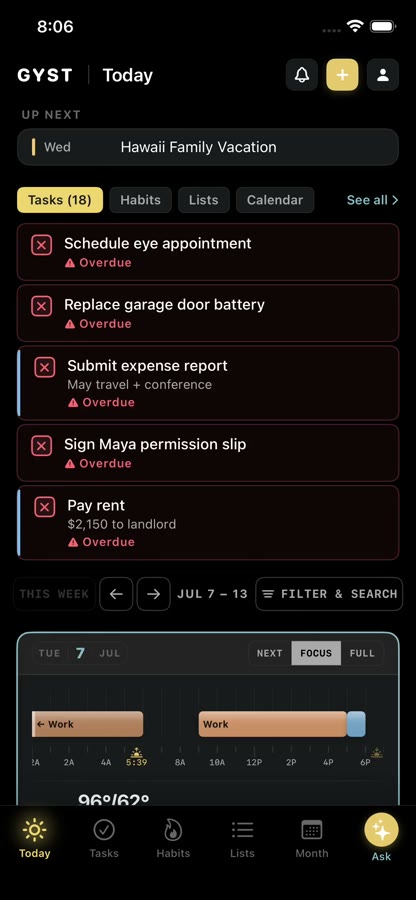
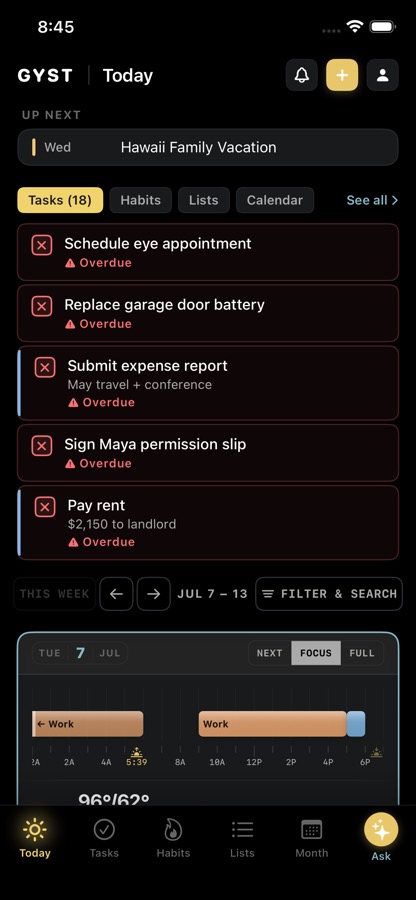
The GYST Today screen on iPhone, a week of overdue tasks about to be handled.

From overwhelmed to on top of it.

GYST pulls your calendar, tasks, habits, and lists into one calm place — and works with the AI agent you already use.

Native iPhone app and full web app. No credit card.

One place for all of it

The stuff of a real life, finally in one view.

Calendar, tasks, habits, and lists don't live in four apps that never talk. In GYST they share one timeline — so nothing falls through the cracks between them.
11 event categories 4 habit types 10 habit tiers 10 themes
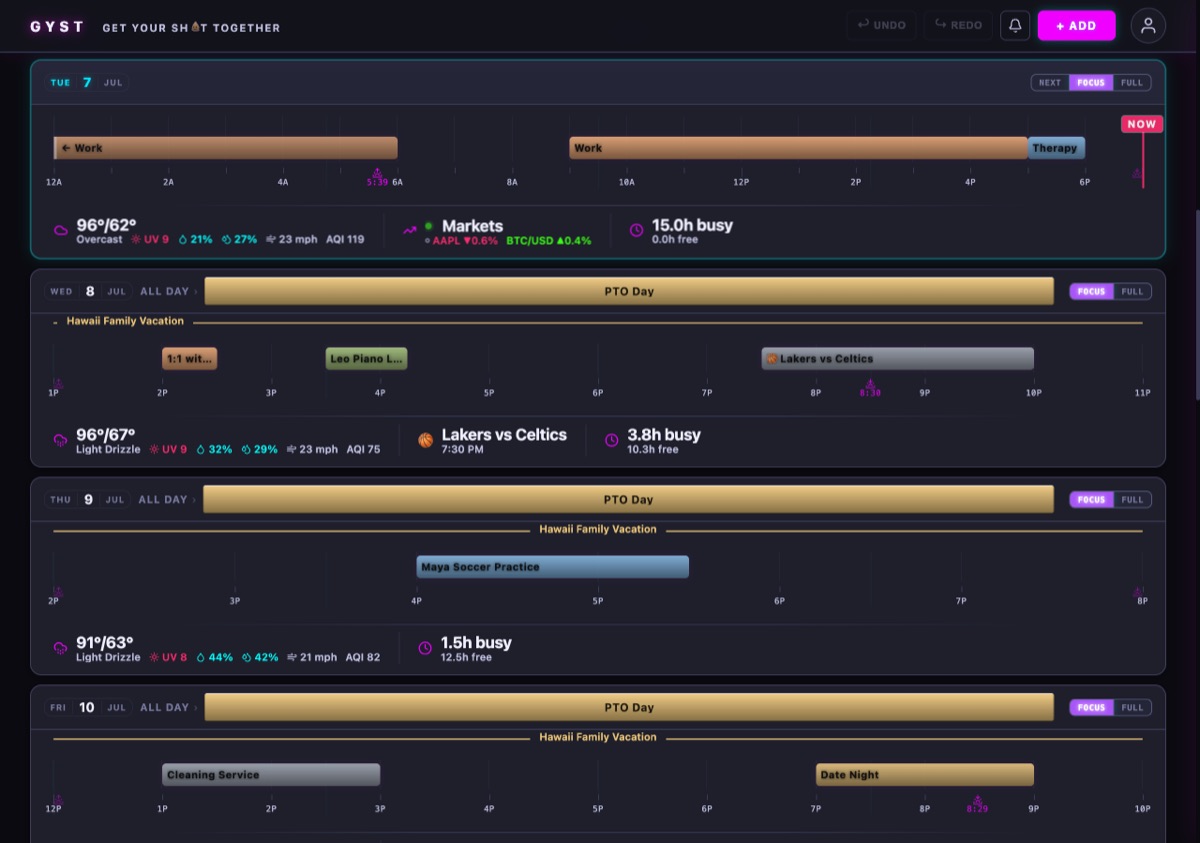
GYST week view: a work day, a Hawaii family vacation span, a PTO all-day bar, a Lakers game, and an insight band with weather, markets, and busy hours.

Calendar & timeline

Your real week, at a glance.

Events lay out on a day timeline with the day's weather, markets, and busy hours reading right above them. Trips and vacations stretch across the days they actually span.
  • Recurring events, multi-day spans, and shared family events
  • An insight band with weather, markets, sports, and moon phase on your actual days
  • Month view draws each day's load as a ring of arcs
GYST Today screen on iPhone showing five overdue tasks, each with a red mark, above the week timeline.

Tasks

Nothing slips.

Every task carries two dates: when it becomes available, and when it's actually due. GYST hides it until it's yours to do, then nudges you at the edges — and flags anything finished late.
  • Available-from and deadline dates, with priority and recurrence
  • Reminders when a task opens and when a deadline passes
  • Tasks link to events — birthdays even spawn their own reminder
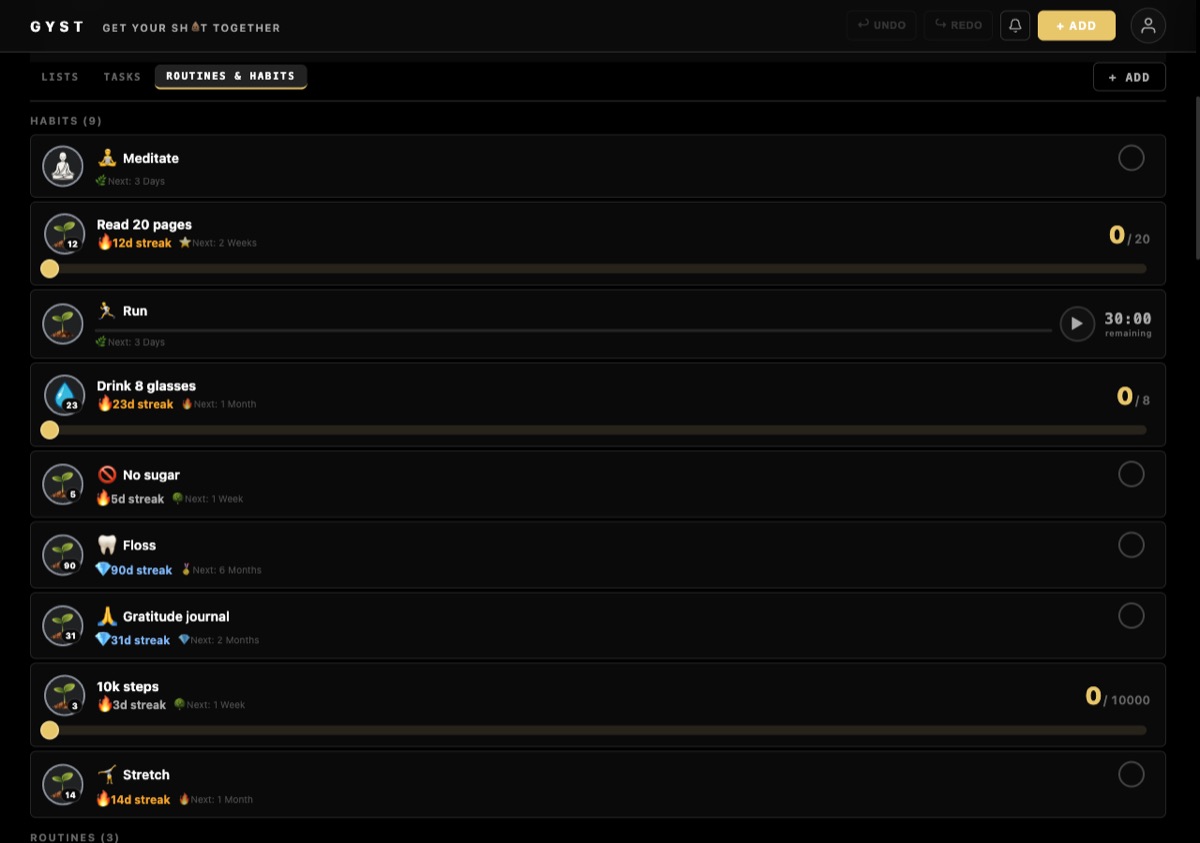
GYST habits dashboard: nine habits with tier-art icons, streak counts from 3 to 90 days, and count, timer, and check-off controls.

Habits & routines

Streaks worth keeping.

Track a habit as a simple check, a count, a timer, or something you're quitting. Every streak climbs ten named tiers, each with its own evolving art — and a missed day can spend a banked cheat day instead of breaking the run.
  • Binary, count, timer, and quit-style habits
  • Reusable checklists and workout routines with per-set tracking
  • On iPhone, habits can auto-complete from your Apple Health rings
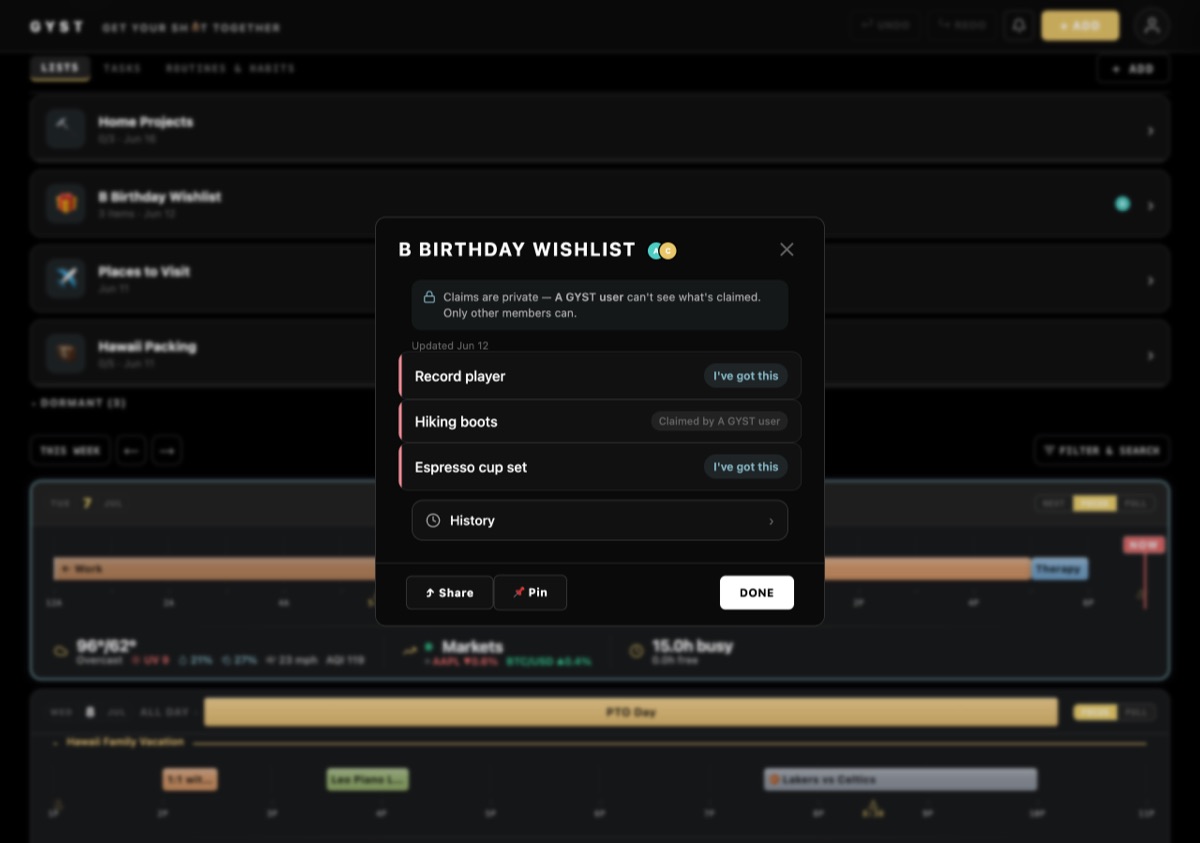
A shared birthday wishlist in GYST. A note reads that claims are private — the owner can't see what's claimed, only other members can.

Lists

Shared — and actually private.

Start from a dozen templates: grocery, packing, books, gifts, and more. Share a list with friends for live, item-level collaboration. On a gift wishlist, members can claim items — and the owner never sees who claimed what.

  • A grocery master list that reorders itself to your store
  • Owner-blind claims on gift wishlists

It's alive

The app rewards you for living your life.

Both of these are the real product, running right here on the page — not a video. Try them.

Habit tiers · live

Watch a streak level up.

This is the exact effects engine from the app. Each tap advances the streak a tier — the art evolves and its particles ignite.

Tier 1 · Starter
Tap to build the streak

10 themes · live

One week, ten moods.

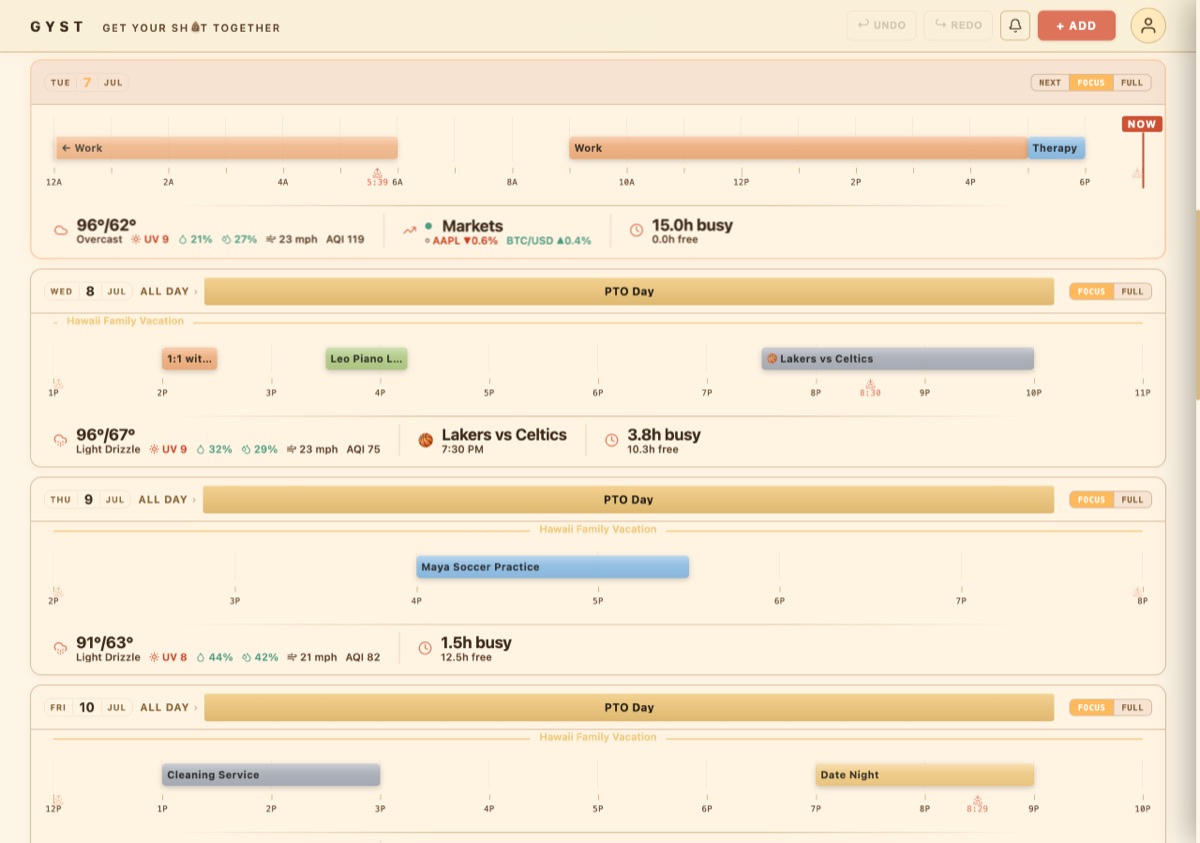
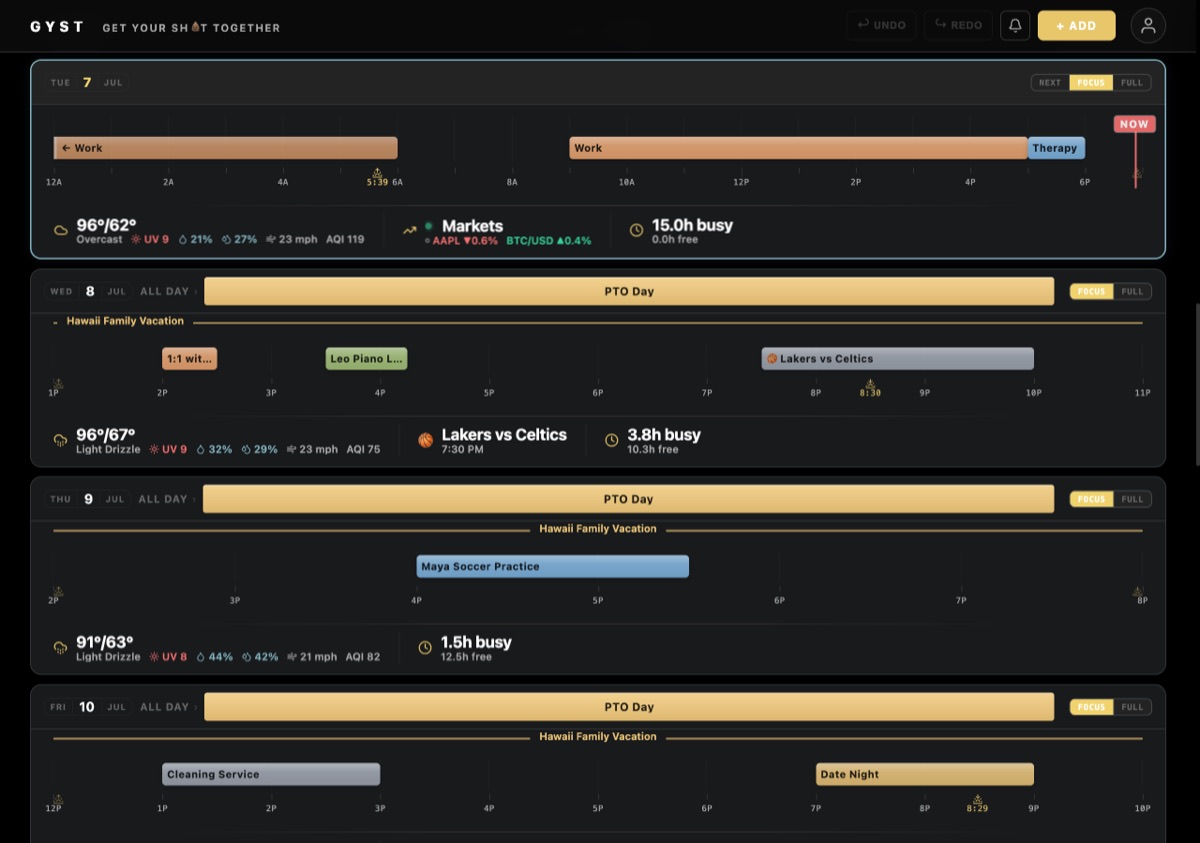
The same week, re-skinned. Ten handcrafted themes — each with a light and dark variant — switch instantly, no reload. Pick one:
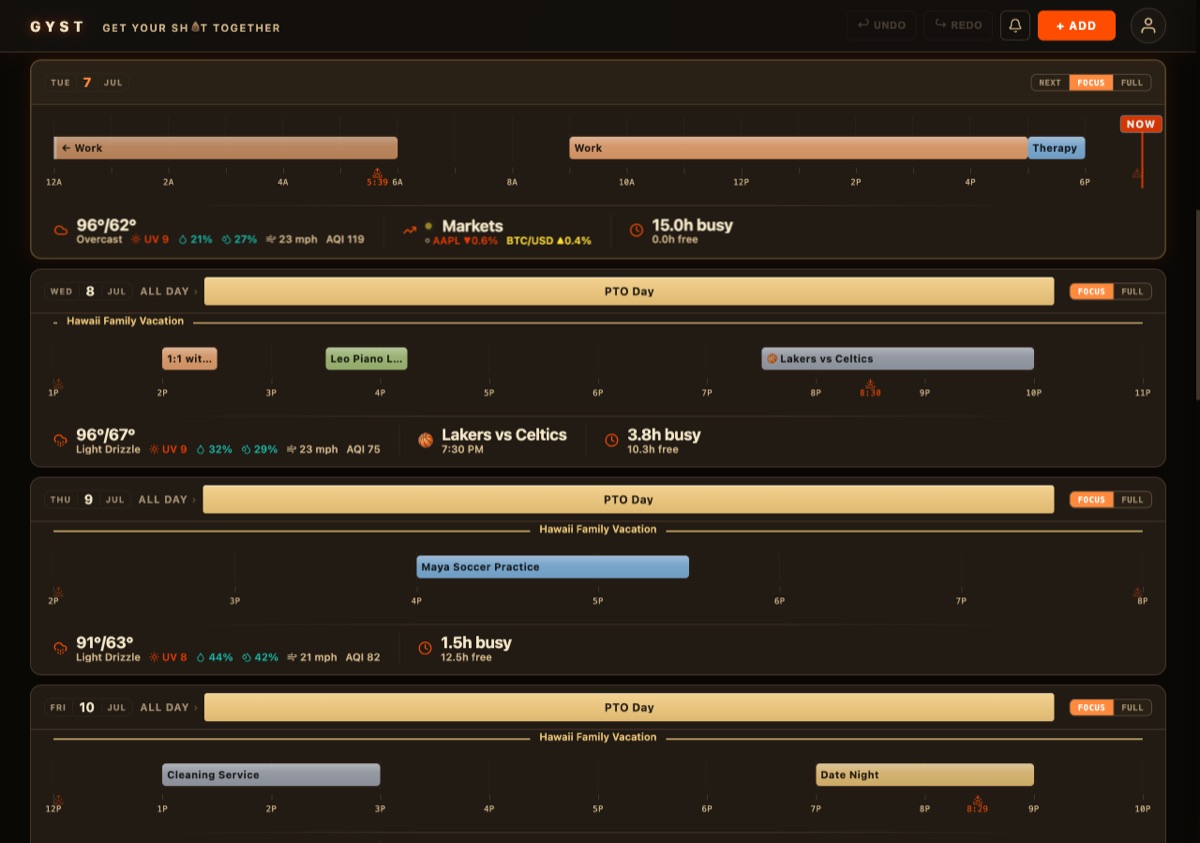
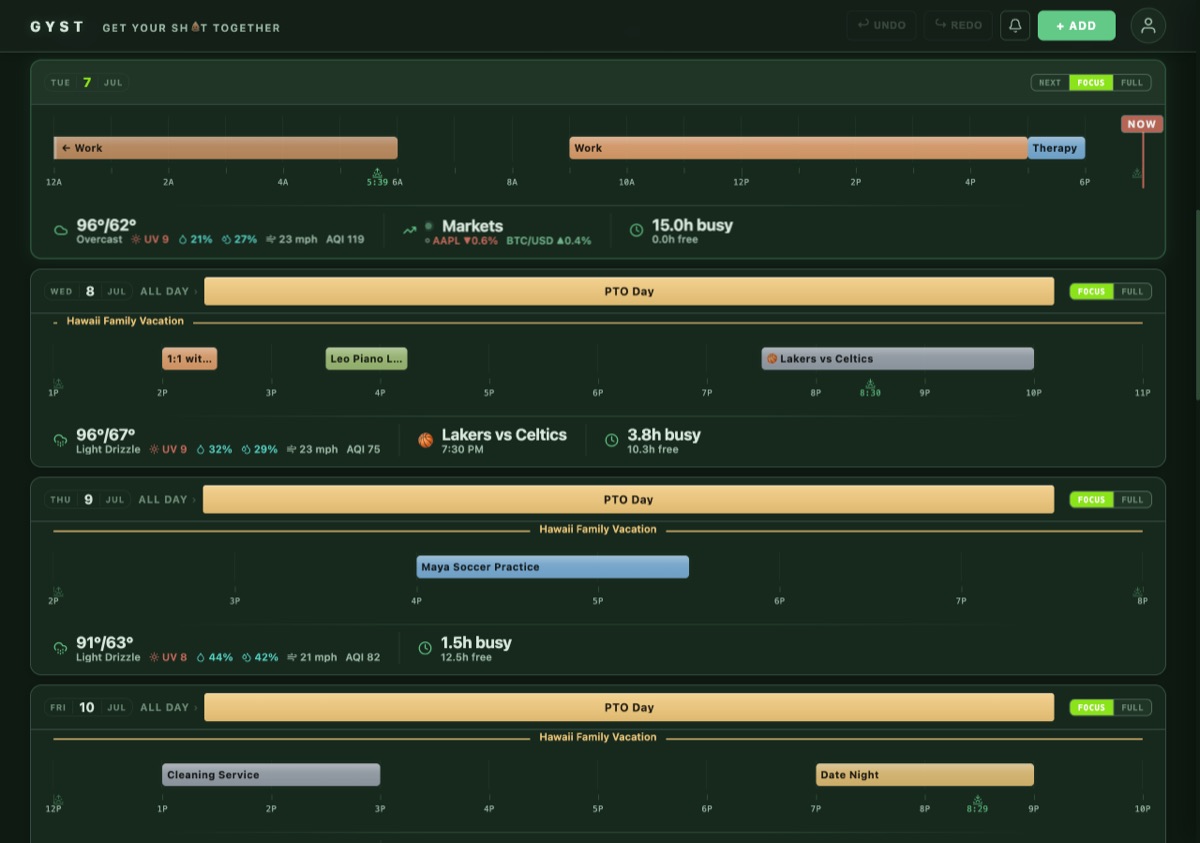
The week in the Midnight theme — warm gold on black. The same week in the Molten Core theme — orange on deep brown. The same week in the Verdant Canopy theme — green on forest black. The same week in the Neon Eclipse theme — magenta and cyan on deep navy. The same week in the Solar Dunes light theme — terracotta on warm cream.

10 themes · 10 habit tiers · 9 event visual effects

Your AI agent

Bring the AI agent you already use.

GYST doesn't run AI itself. Connect your own agent once, then ask it about your week or tell it a plan in plain words and it lands on the right day.
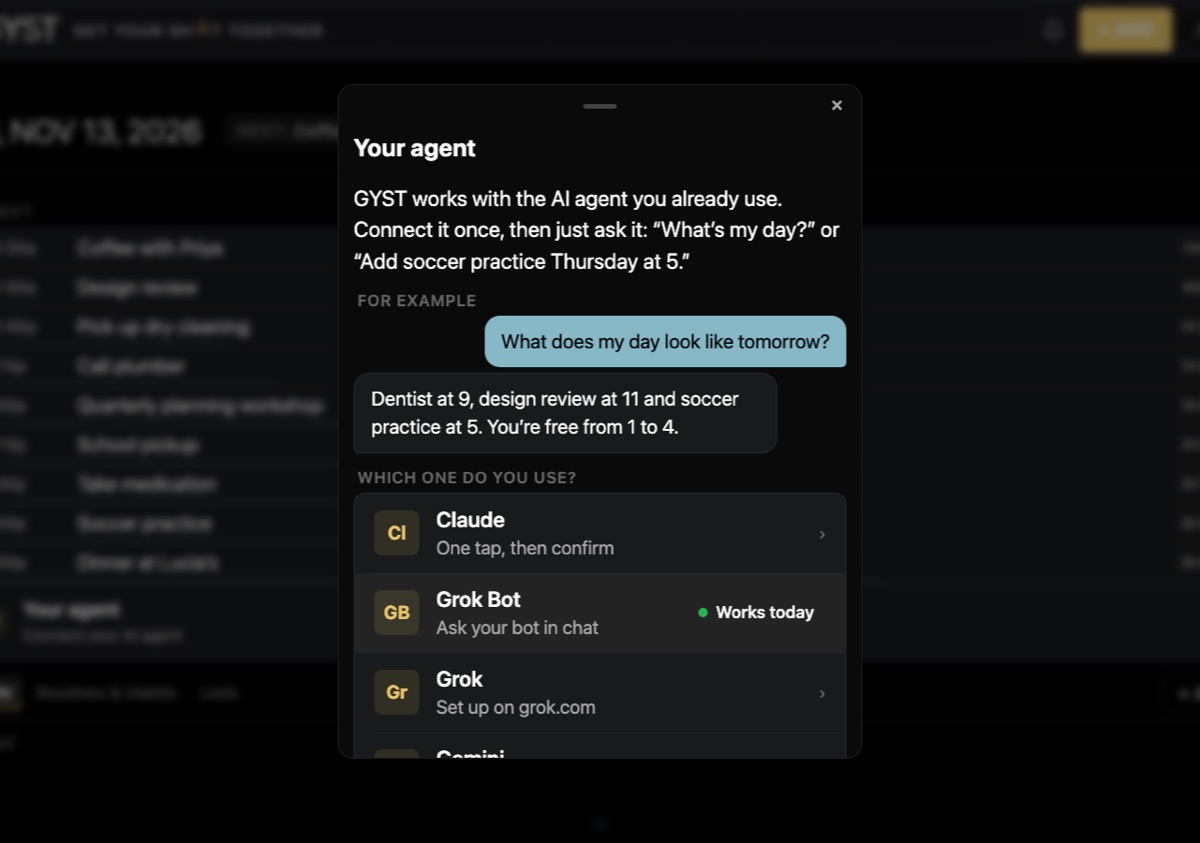
The GYST Agent screen: "Which one do you use?" above a list of AI agents.
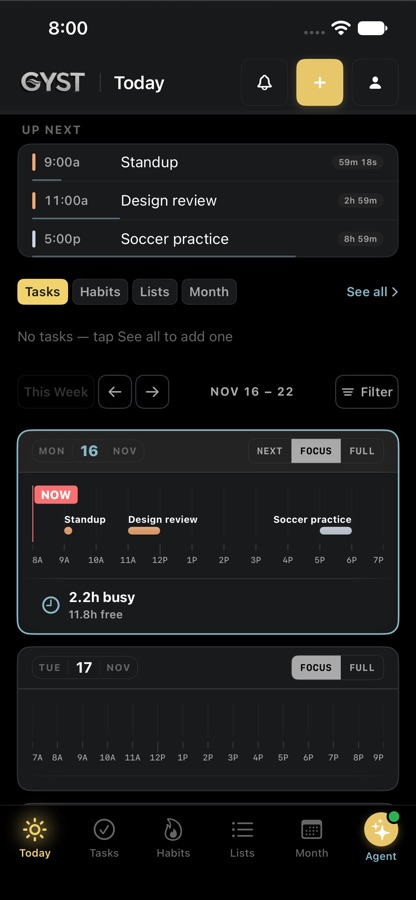
GYST Today screen on iPhone: three events coming up, the week's day timelines below, and the Agent button, marked connected, at the right of the bottom bar.

You choose what it sees

Calendar, tasks, lists, habits, people, settings: each one off, see only, or see and change. Money and Apple Health are never shared.

Ask it anything

"Am I free Friday afternoon?" "Add soccer practice Thursday at 5." Your agent reads your real calendar and tasks, and changes them when you say so.

Pause or disconnect any time

One switch pauses your agent without disconnecting it. Disconnect ends its access at once.

Your data stays yours

Get your sh*t together.

No credit card. Every feature is free right now. Your data is isolated to your account and never sold — on your iPhone and on the web.

Private by default iPhone & web Free while in early access